10 Signs Your Phone May Have Internal Damage

10 Signs Your Phone May Have Internal Damage
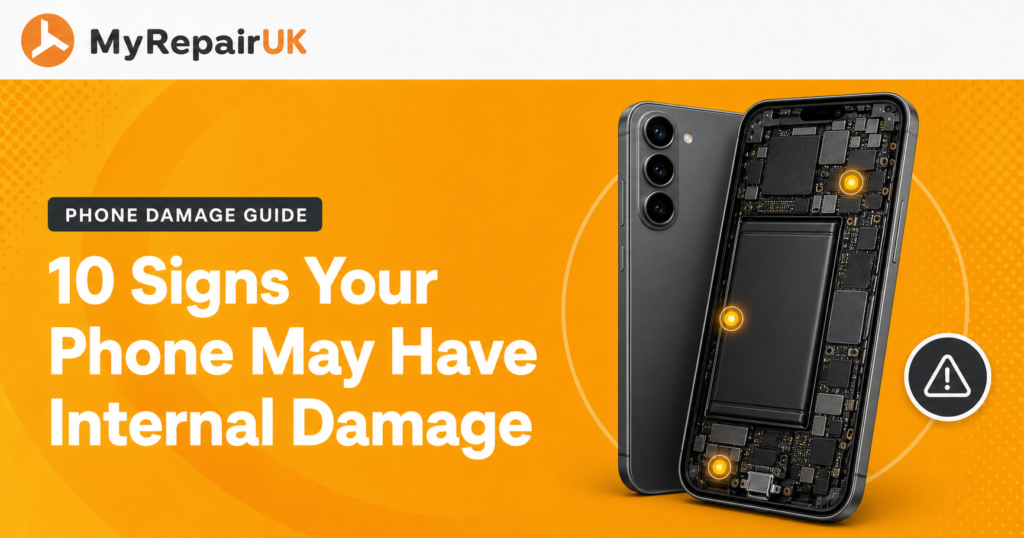
You drop your phone. It lands awkwardly, your stomach drops with it, but when you pick it up there’s no crack, no shattered glass, nothing. So it’s fine, right? Not necessarily. A phone can take a knock hard enough to jolt something loose or crack a component inside, while the outside gives nothing away at all.
That’s what makes internal damage trickier than a broken screen. There’s no obvious visual cue telling you to get it checked, so the signs tend to show up sideways, in how the phone behaves rather than how it looks. Here’s what to watch for.
How to tell if your phone is damaged when nothing looks broken
Internal damage usually announces itself through small inconsistencies rather than one obvious symptom. On their own, most of these could be put down to an ageing phone. Together, or appearing suddenly after a drop or spill, they’re worth taking seriously.
1. The phone gets warm without heavy use
A phone running a game or navigating for an hour warming up is normal. One that’s warm just sitting in your pocket, doing nothing demanding, may have a damaged battery or a short somewhere on the board working harder than it should.
2. The battery drains far faster than usual
A sudden drop in battery life, rather than the slow decline you’d expect over a year or two, often points to physical damage to the battery itself rather than normal wear. If you’re concerned about your phone battery, speak to a professional and always make sure you opt for high-quality parts.
3. The screen flickers or shows odd colours in one area
This usually means the display cable or connector has been disturbed. It doesn’t always mean the whole screen needs replacing, sometimes it’s just the connection that needs reseating, but it should be looked at rather than left.
4. Random restarts or shutdowns for no clear reason
If the phone powers off despite showing battery remaining, or restarts itself without warning, that can indicate a loose internal connection or a fault with the battery’s ability to hold a steady charge.
5. Sound coming out distorted or muffled
A knock can shift the speaker or microphone slightly out of place, or crack a tiny internal component, producing sound that’s noticeably different even though the speaker grille looks completely fine from the outside.
6. The camera won’t focus properly or shows a dark patch
Camera modules are delicate and sit close to the outer casing, making them one of the more common casualties of a drop. A dark smudge in every photo or a lens that hunts and never settles is a strong sign something inside has shifted.
7. Buttons feel stiff, spongy, or don’t register presses
A bent frame from an impact can put pressure on the buttons from the inside, even when the casing itself looks straight. If a button worked fine before a drop and feels different afterward, that’s rarely a coincidence.
8. WiFi or Bluetooth connections keep dropping
Antennas inside a phone are thin and can be knocked out of position. If your phone used to hold a signal fine and now disconnects repeatedly in places it never used to, a jolted antenna connector is a common, often overlooked cause.
9. A moisture warning appears with no obvious water exposure
Sometimes an impact alone, without any actual liquid, is enough to briefly trigger a moisture sensor if it jars a connection nearby. We’ve covered what causes a persistent moisture warning in more depth if this is the specific issue you’re seeing.
10. The phone feels slightly different in your hand
A subtle bulge, a seam that doesn’t quite line up like it used to, or a back panel that sits a little proud, these small physical changes can point to a swelling battery, which is worth treating as urgent rather than cosmetic.
Why dropped phone internal damage is often invisible at first
The outer casing on most phones is built to absorb some impact, which is exactly why it can look untouched while the force still travels through to the more fragile components inside, battery cells, display connectors, camera modules, and antennas. None of these are visible without opening the phone up, which is why relying on “no cracks means no damage” can be misleading.
When it’s worth getting checked rather than waiting
If you recognise two or more of the signs above, particularly following a drop, spill, or knock, it’s worth treating that as a sign your phone needs checking rather than hoping it settles down on its own. Internal faults like a swelling battery or a damaged charging circuit don’t tend to improve with time, and catching them early is usually far cheaper and safer than waiting for a bigger failure.
Based in Colwyn Bay and Conwy, covering all of North Wales
Whether you’re in Conwy, Colwyn Bay, or anywhere between Bangor and Prestatyn, a quick diagnostic check can tell you definitively what’s going on inside your phone rather than leaving you guessing. We offer in-store checks at both shops, plus mail-in and mobile van options if getting to us isn’t easy.
Get in touch or head to our repair page to get it looked at properly.
Frequently Asked Questions
Yes, this is actually quite common. The outer casing can absorb an impact well enough to prevent any cracking while the force still reaches more delicate parts inside, such as the battery or display connector. A phone can look completely untouched and still have a genuine fault developing, which is why behavioural changes, not just appearance, are the more reliable thing to watch.
Watch for a sudden change rather than gradual decline: faster drainage than before, unexpected warmth, or the phone shutting down while showing charge remaining. A battery that’s been physically damaged tends to behave inconsistently rather than simply losing capacity evenly. Any sign of the back panel bulging or feeling uneven is a more urgent version of the same warning and shouldn’t be ignored.
This depends entirely on your specific policy and provider, so it’s worth checking your terms directly rather than assuming either way. Many device insurance policies do cover internal or mechanical faults following an accidental drop, not just visible screen damage, but the claims process usually still requires some form of assessment or diagnostic report confirming the cause.
Often, yes. A loosely connected component can wear further with continued use, and a battery that’s been physically compromised can degrade faster or, in rarer cases, become a safety risk over time. Problems that start as a minor inconsistency, like occasional flickering or an intermittent connection, tend to become more frequent and more disruptive the longer they’re left unaddressed.
If the drop was significant, onto a hard surface from any real height, it’s a reasonable precaution even without symptoms yet. Some internal damage takes days or weeks to show itself as the connection continues to work loose. A diagnostic check is quick and non-invasive, and catching a developing issue early is generally far simpler than waiting for a full failure.
Yes, particularly with older phones or ones without strong water resistance ratings. Moisture sensors are designed to catch water near the charging port specifically, not necessarily elsewhere inside the device, so liquid entering through a different gap can cause internal corrosion over time without ever triggering an alert. Any liquid exposure is worth having checked, warning or not.