Phone Back or Screen Lifting? It Could Be a Swollen Battery

Phone Back or Screen Lifting? It Could Be a Swollen Battery
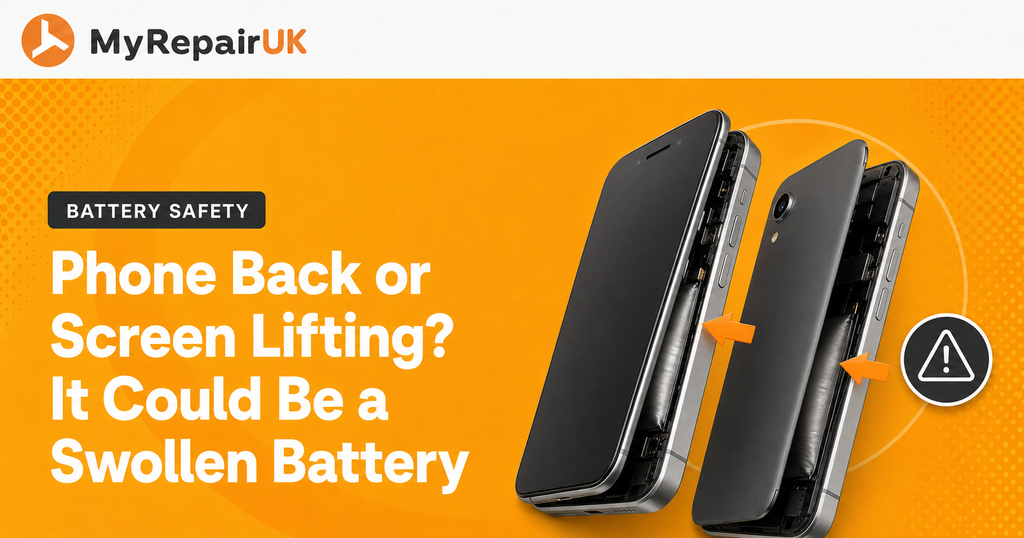
If you’ve noticed a gap appearing around the edge of your screen, or the back of your phone has started to pop up like it’s trying to escape, it’s easy to assume you’ve just picked up a knock somewhere. More often than not though, the real cause is phone battery swelling. It’s one of those common phone problems that creeps up quietly and then, almost overnight, becomes impossible to miss.
We see this a fair bit on the bench, on iPhones, Samsungs, and plenty of other brands too. The good news is that once you know what you’re looking at, it’s easy to spot early, and easy to sort before it causes any real damage.
What Battery Swelling Actually Looks Like
Lithium-ion batteries, the type used in nearly every modern phone, are designed to sit flat and snug inside the case. When a battery starts to fail, gases can build up inside the cell and the battery physically expands. Since there’s nowhere for that extra bulk to go, it pushes outward against whatever is nearest, usually the screen or the back cover.
That’s why phone screen lifting and phone back lifting are usually the very first clues something’s wrong. You might notice:
- A small gap opening up along one edge of the screen, often near the top or bottom
- The screen feeling slightly raised or “bouncy” when you press it
- The back panel bulging outward, sometimes enough that the phone won’t sit flat on a table anymore
- A case that used to fit perfectly suddenly feeling tight
It rarely appears everywhere at once. Usually it starts small, one of several signs your phone may have internal damage is a tiny lift in one corner, and gets more obvious over the following days or weeks as the swelling continues.
Why Does a Battery Swell in the First Place?
A few things tend to be behind it:
Age
Batteries naturally degrade with use, and after a couple of years of daily charging cycles, swelling becomes far more common. If your phone is getting on a bit, this is often just wear and tear catching up with it.
Heat
Leaving a phone in direct sunlight, on a car dashboard, or under a pillow while charging can accelerate battery wear considerably.
Physical damage
A drop or knock that you barely noticed at the time can damage a battery cell internally, and the swelling might not show up until weeks later.
Poor quality batteries
If a phone has previously had a cheap, non-genuine battery fitted, these are more prone to swelling than genuine or good quality equivalents.
Whatever the cause, once a battery starts to swell, it won’t go back to normal on its own. It’s a one-way process.
iPhone Battery Swelling and Screen Lifting
We see iPhone battery swelling and screen lifting come up a lot, particularly on models that are three or four years old. Because of how iPhones are built, with the battery sitting directly beneath the display, even a small amount of swelling is enough to lift the screen away from the frame. It’s usually spotted first along the top edge, sometimes with the screen feeling like it’s slightly separating from the chassis.
If you’re seeing this on an iPhone, it’s worth getting it looked at sooner rather than later. The screen isn’t damaged, in most cases the battery underneath is doing the damage, and once it’s replaced the screen will usually sit back down flat as it should.
Samsung Back Cover Lifting
On Samsung phones, especially the glass-backed Galaxy S and Note models, it’s more common to see the issue at the back rather than the front. Samsung back cover lifting usually shows up as the glass back panel bulging or separating from the frame, sometimes with a visible crack appearing at the edges where the glass has been put under pressure it was never designed to handle.
It’s a similar story underneath, the battery has swollen and needs somewhere to go, and the back panel is often the path of least resistance. Left unchecked, the pressure can crack the glass entirely.
Is a Swollen Battery Dangerous?
We’d rather be upfront about this one. A swollen battery isn’t something to leave and hope it settles down. Lithium-ion cells can become unstable as they swell, and in rare cases this can lead to overheating or, at worst, the battery venting or catching fire. It’s not something to panic about, but it is something to take seriously.
If your phone’s battery has swollen, a good rule of thumb is:
- Stop charging it straight away
- Avoid pressing or bending the screen or back cover
- Keep it away from anything flammable
- Don’t try to puncture, cut, or force the casing back down yourself
- Get it looked at as soon as you reasonably can
What To Do If You Spot the Signs
If you’ve caught it early, with just a small lift at one edge, there’s no need to panic, but it is worth booking it in fairly promptly. The longer a swollen battery is left, the more pressure builds, and the more likely you are to end up needing a new screen or back panel on top of the battery itself.
This is exactly the kind of job our team deals with regularly, whether that’s an iPhone battery replacement or sorting a Samsung with a lifting back cover. We’ll check the battery, confirm what’s going on underneath, and fit a genuine or high quality replacement so everything sits flush again. If you’re nearby, you’re welcome to pop into our shop in Colwyn Bay or our Conwy branch and we’ll take a look while you wait for most models. We also offer in-store repairs and a mobile van service across North Wales if getting to us isn’t easy.
Preventing It Happening Again
You can’t stop a battery from ageing altogether, but a few habits do help slow things down:
- Avoid leaving your phone charging overnight on a regular basis
- Keep it out of hot cars, radiators, and direct sun where you can
- Use a genuine or good quality charger rather than the cheapest one you can find
- If your phone’s battery health has already dropped noticeably, consider having it replaced before swelling has a chance to set in
If your phone’s screen or back is starting to lift, don’t wait for it to get worse. Let’s have a chat, whether that’s popping into the shop, sending it in by post, or booking our mobile repair service, we’ll get to the bottom of it and have you sorted safely.
Frequently Asked Questions
It’s rare, but a swollen lithium-ion battery can become unstable and, in extreme cases, overheat or catch fire. That’s why we always recommend stopping charging straight away and avoiding pressure on the screen or back cover. Getting it checked promptly is far safer than waiting to see if it settles down, because it won’t.
Not always. If it’s caught early, the battery can often be replaced and the original screen or back panel will sit back down flat once the pressure is gone. If it’s been left for a while, the glass or adhesive can sometimes crack or fail, in which case that part may need replacing alongside the battery.
We’d recommend avoiding it if you can. Using the phone means it’s likely still charging or under load, which can make the swelling worse. It’s also more prone to pressure damage from being handled or carried in a pocket. Best to power it down where possible and get it looked at.
It depends on the phone model and whether the screen or back cover has been affected as well. Pop into our Colwyn Bay or Conwy shop, or get in touch online, and we’ll give you an honest price before any work starts.